What it makes: a GTA loading screen version of your photo — comic-book style, dramatic pose, city skyline, car and helicopter behind you. GTA Loading Screen AI Photo was spreading in the week to 17 Nov 2026. Who it is for: anyone making a fun AI profile photo or post for TikTok, Instagram and Shorts. Settings: image-to-image (ChatGPT / Gemini / Midjourney), 9:16, use your own clear photo as reference. How to use: upload one sharp front-facing photo, paste the prompt, keep the result and share it; label as AI-generated. Problems and fixes: face changes too much — use a sharper photo and ask to keep the face recognisable; style looks flat — ask for thick outlines and sunset colours; background is messy — name only two background elements. Variations: 90s action movie poster, comic book cover, video game character select screen. Why it works: illustrated loading-screen art with bold outlines, dramatic poses and a city backdrop makes a striking profile picture or poster, and it is a popular photo-edit trend. Tips for better results: use a clear, well-lit photo with your whole upper body visible; describe the pose and background you want (sunset city, beach, neon street); ask for bold ink outlines and flat comic-style colours; try two or three outfits. Good to know: game logos and names are trademarks — create the art style, but do not add official logos or titles if you plan to use the image commercially. FAQ: Which tool? ChatGPT image generation, Gemini and Midjourney all handle this style.
Prompt
Vertical 9:16 photo. Turn my photo into a GTA loading screen: bold comic-book style illustration, thick outlines, dramatic pose, city skyline and palm trees behind, a car and a helicopter in the background, vibrant sunset colours. Keep my face and outfit recognisable. No on-screen text, no real brands. Label as AI-generated.
Example output
Your photo restyled as a GTA loading screen: comic-book style, dramatic pose, city skyline and sunset.
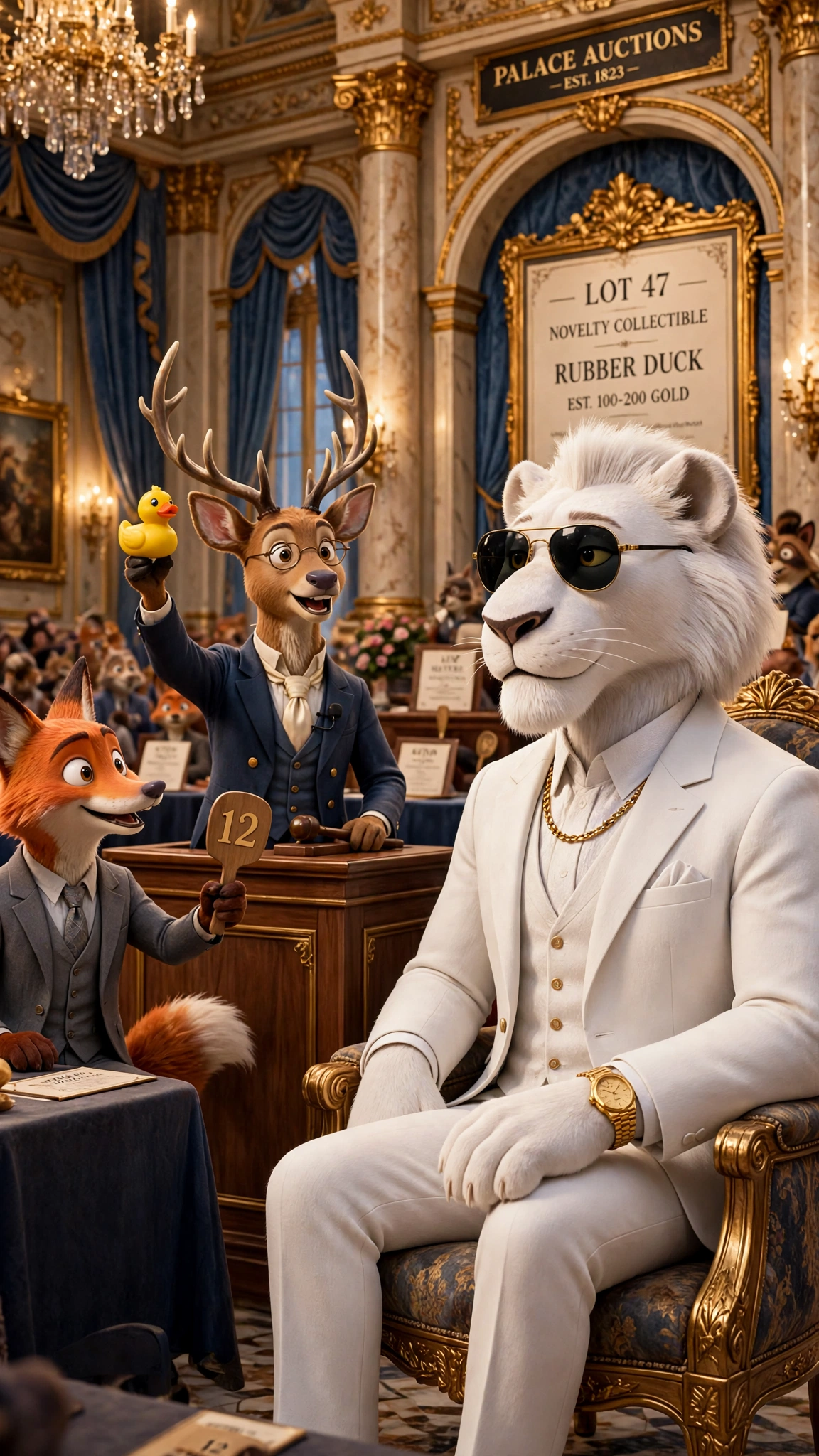
Anthropomorphic tall white lion, thick snow-white mane, pale gold eyes, tailored white three-piece suit, gold Cuban-link chain, gold watch, black aviator sunglasses. Setting: a palace auction hall, vertical 9:16, 15 seconds, 6 shots, hard cuts only, one speaker at a time. A deer auctioneer reveals a rubber duck as the prize. A fox in a grey suit bids 10 lakh. Sheru Bhai, sitting calmly, says in Hinglish: 'Meri boli, ek arab!' and wins. Everyone stares. Sheru lowers his sunglasses and smiles. No on-screen text, no real brands.
Vertical 9:16, 12 seconds. A fluffy orange cat in a tiny martial-arts outfit practices kung fu in a bamboo garden: slow bow, fast punch, spinning kick, then a calm landing. Photorealistic fur, cinematic motion, one clean move per shot, no on-screen text, no real brands. Label as AI-generated.
Vertical 9:16, 12 seconds. A golden retriever in a tiny bow tie stands behind a bar, polishing a glass, then slides a drink across the counter to a surprised customer. Photorealistic, warm bar light, deadpan and funny, no on-screen text, no real brands. Label as AI-generated.
Vertical 9:16, 10 seconds. A cute AI baby in a soft onesie dances to a cheerful beat: gentle bounce, spin, tiny wave, big smile at the end. Soft pastel room, warm light, smooth motion, family-safe, no on-screen text, no real brands. Label as AI-generated.