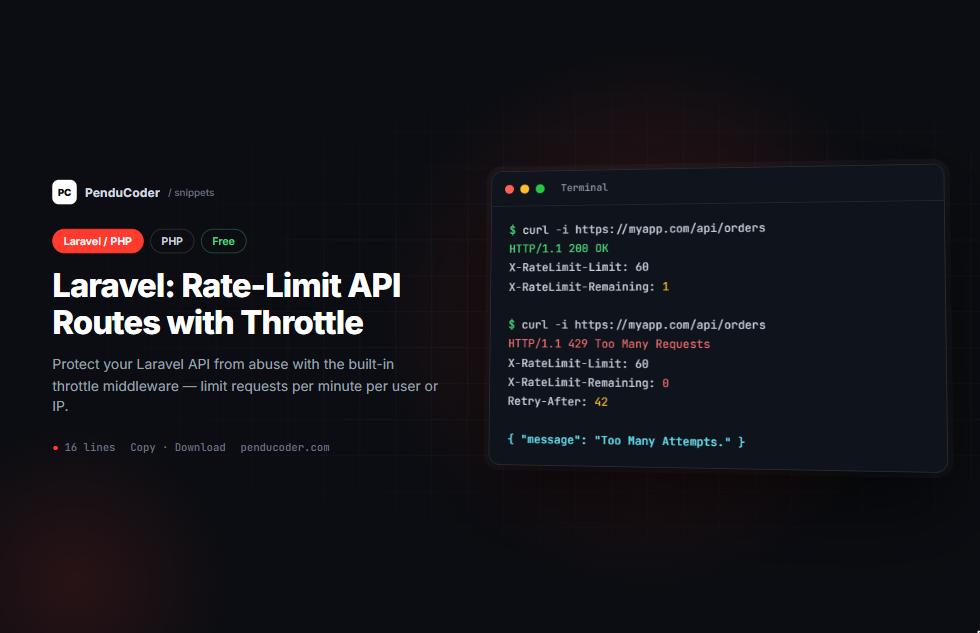
Any public API will eventually be hit by a buggy client in a loop, a scraper, or someone guessing passwords. Without limits, one bad actor can slow down the app for everybody — or run up your server bill. Laravel's built-in throttle middleware limits how many requests a user or IP address can make per minute, and returns a clean 429 Too Many Requests response when they go over.
How it works
- Each request increments a counter stored in your cache (Redis, database or file).
- The counter key is the authenticated user's ID, or the IP address for guests.
- When the limit is reached, Laravel stops the request and returns 429 with a
Retry-After header telling the client when to try again.
How to use it
- Apply a general limit to your API route group, for example 60 requests per minute.
- Use stricter, named limiters for sensitive endpoints such as login, password reset, OTP and contact forms — for example 5 per minute per email and IP.
- Give trusted or paying users higher limits by returning a different limit based on the user's plan.
Best practices
- Use Redis as the cache store in production for fast, accurate counters across multiple servers.
- Return friendly JSON errors so mobile apps can show "please wait a moment".
- Log repeated 429s — they often reveal a bug in your own front end.
Common problems
- Everyone shares one limit: behind a proxy or Cloudflare, configure trusted proxies so Laravel sees the real client IP.
FAQ
Does rate limiting stop DDoS attacks? It helps against abuse from individual clients, but large attacks should be stopped earlier, at a CDN or firewall.
Related: Sanctum token abilities · OWASP Top 10 explained