If you are about to pick your first backend, the Laravel vs Node.js question can eat weeks of your time. Forums give you opinions, YouTube gives you benchmarks, and neither tells you what actually matters: what do you want to build in the next six months, and who will pay for it?
This guide answers that. We compare the two the way a working developer would — by writing the same small feature in both, looking at hosting costs, jobs and freelancing demand, and the mistakes beginners make with each. At the end you get a simple decision table.
Quick answer
- Pick Laravel if you want to ship complete products fast — SaaS dashboards, admin panels, ERPs, course sites, client websites — and you like having one clear way to do things.
- Pick Node.js if you already know JavaScript well, want to work on real-time apps (chat, live notifications, multiplayer), or are aiming for front-end-heavy teams that use React or Next.js.
- Either choice is fine for a career. Switching later is much easier than beginners think, because the concepts — HTTP, routing, databases, authentication, queues — are the same.
What each one actually is
This is the first thing people get wrong: the two are not the same kind of thing.
Laravel is a framework. It is written in PHP and gives you a full toolkit out of the box: routing, controllers, the Eloquent ORM for databases, migrations, authentication starters, validation, queues, a task scheduler, mail, file storage and testing. You install one thing and you have a complete backend.
Node.js is a runtime. It lets JavaScript run on a server. On its own it is not a framework — you add one, such as Express (minimal), Fastify (fast and minimal) or NestJS (structured, Laravel-like). Then you choose your own ORM (Prisma, Drizzle, Sequelize), validation library, auth library and queue system.
So the fair comparison is really Laravel vs a Node.js stack you assemble. That difference drives almost everything below.
The same feature in both: a "create post" API
Here is a small but realistic endpoint: validate input, save a post to the database, return JSON.
Laravel
// routes/api.php
use App\Http\Controllers\PostController;
Route::post('/posts', [PostController::class, 'store']);

// app/Http/Controllers/PostController.php
public function store(Request $request)
{
    $data = $request->validate([
        'title' => 'required|string|max:120',
        'body'  => 'required|string',
    ]);

    $post = Post::create($data);

    return response()->json($post, 201);
}
Validation, the database model and the JSON response are all built in. If validation fails, Laravel returns a 422 error with messages automatically.
Node.js (Express + Prisma + Zod)
// server.js
import express from 'express';
import { z } from 'zod';
import { PrismaClient } from '@prisma/client';

const app = express();
const prisma = new PrismaClient();
app.use(express.json());

const PostSchema = z.object({
  title: z.string().max(120),
  body: z.string().min(1),
});

app.post('/posts', async (req, res) => {
  const parsed = PostSchema.safeParse(req.body);
  if (!parsed.success) {
    return res.status(422).json(parsed.error.flatten());
  }
  const post = await prisma.post.create({ data: parsed.data });
  res.status(201).json(post);
});

app.listen(3000);
Just as clean — but notice you chose three libraries yourself (Express, Zod, Prisma). That is the Node.js trade-off in one picture: more freedom, more decisions. For an experienced developer that freedom is great. For a beginner, every decision is a place to get stuck.
Learning curve
With Laravel, the official documentation covers almost everything you need, and most tutorials follow the same structure. When you search an error, the answers match your project. That makes the first three months noticeably smoother.
With Node.js, two tutorials can use completely different stacks. You also need to understand asynchronous JavaScript properly — promises, async/await and error handling in async code — because mistakes there crash servers or hide bugs.
Rule of thumb: if JavaScript is your strongest language already, Node.js removes the need to learn PHP. If you are new to both, Laravel's single "happy path" usually gets you to a finished project sooner.
Speed of building real products
Most paid work for new developers is not "build a high-scale microservice". It is:
- a business website with an admin panel,
- an inventory, billing or ERP system,
- a booking or course platform,
- a REST API for a mobile app.
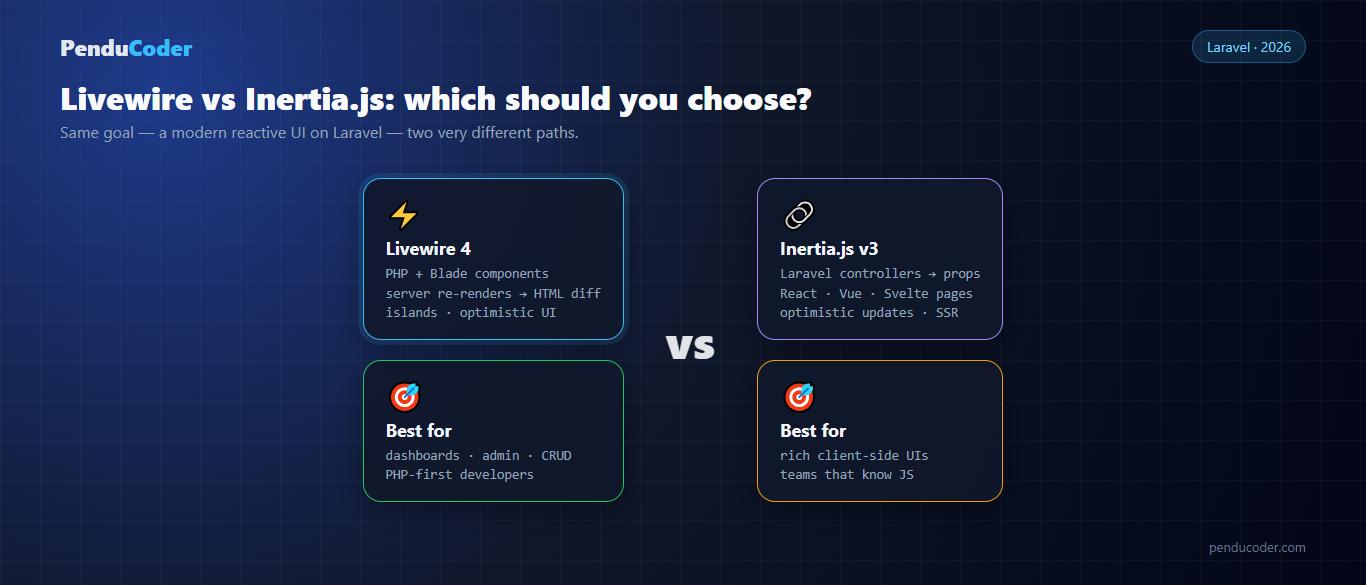
Laravel is very strong here. Authentication starters, Livewire for interactive pages without writing a separate front end, Filament for admin panels, and built-in queues and scheduling remove weeks of repeated work. If this is the kind of work you want, read our guide What Is Laravel Livewire? next.
Node.js shines when the product is real-time or JavaScript-heavy: chat apps, live dashboards, collaborative tools, or a Next.js front end where sharing TypeScript types between client and server saves time.
Performance: does it matter for you?
Node.js handles many simultaneous connections efficiently thanks to its event loop, which is why it is popular for WebSockets and streaming. Modern PHP is also fast, and Laravel can run on Octane for long-lived workers.
Honest answer: for 95% of projects a beginner will build, the database and your queries are the bottleneck, not the language. An unindexed column or an N+1 query will slow you down far more than PHP vs JavaScript. Learn caching, indexing and queues — they matter in both. Our System Design Basics guide explains how apps actually scale.
Hosting and cost
| Laravel | Node.js | |
|---|---|---|
| Cheap shared hosting | Works on most PHP shared hosts | Limited support on shared hosting |
| VPS | Nginx + PHP-FPM, very common | Nginx + PM2 or Docker |
| Serverless / edge | Possible (e.g. Laravel Vapor, Bref) | Very well supported |
| Client handover | Easy — many hosts and developers know PHP | Needs a developer who manages Node processes |
For freelancers working with small businesses, the ability to deploy on ordinary hosting is a real advantage for Laravel. If you go the VPS route, follow our step-by-step Laravel VPS deployment guide.
Jobs and freelancing
Both have large markets, but they look different:
- Laravel work is common on freelancing platforms and in agencies: custom business systems, maintenance of existing PHP apps, and SaaS products. PHP still runs a very large share of the web, so maintenance work never runs out.
- Node.js appears more often in startup and product-company job listings, usually together with React, Next.js and TypeScript — "full-stack JavaScript" roles.
If your goal is to start earning from clients quickly, Laravel is a practical route. If your goal is a job at a product company that already uses JavaScript everywhere, Node.js lines up better.
Common beginner mistakes
With Laravel
- Putting all logic inside controllers instead of using form requests, services or actions.
- Ignoring N+1 queries — use
with()to eager-load relationships. - Running long tasks (emails, PDFs, API calls) during the request instead of pushing them to a queue.
With Node.js
- Forgetting to handle rejected promises, which can crash the process.
- Blocking the event loop with heavy CPU work (image processing, big loops) in a request handler.
- Skipping input validation because "it's just JSON" — always validate, as shown with Zod above.
Whichever you pick, learn security basics early. Our OWASP Top 10 for web developers covers the mistakes attackers look for first.
Decision table
| Your situation | Better first choice |
|---|---|
| New to programming, want to build full apps quickly | Laravel |
| Already comfortable with JavaScript / React | Node.js |
| Freelancing for small businesses | Laravel |
| Building chat, live updates or multiplayer features | Node.js |
| Admin panels, ERPs, CRMs, course platforms | Laravel |
| Targeting full-stack JavaScript jobs | Node.js |
FAQ
Is Laravel faster than Node.js?
Node.js usually handles more concurrent connections per server, while Laravel is often faster to develop with. For typical business apps, database design affects speed far more than the framework choice.
Is PHP dead in 2026?
No. PHP still powers a huge part of the web, including WordPress and many business systems, and Laravel is one of the most actively developed web frameworks.
Can I learn both?
Yes — and you eventually should. Start with one, build two or three complete projects, then pick up the other. The second framework takes a fraction of the time because the concepts carry over.
Which is better for APIs for mobile apps?
Both are excellent. Laravel with Sanctum gives you token authentication in minutes; Node.js with Fastify or NestJS is equally capable. Choose based on the language your team knows.
Next step
The best way to decide is to build something small in your chosen stack this week — a to-do API, a blog with login, or a tiny inventory app. If you choose Laravel, our Laravel code snippets save you time on common tasks like rate limiting and sitemaps, and our deployment guide takes you all the way to a live server.