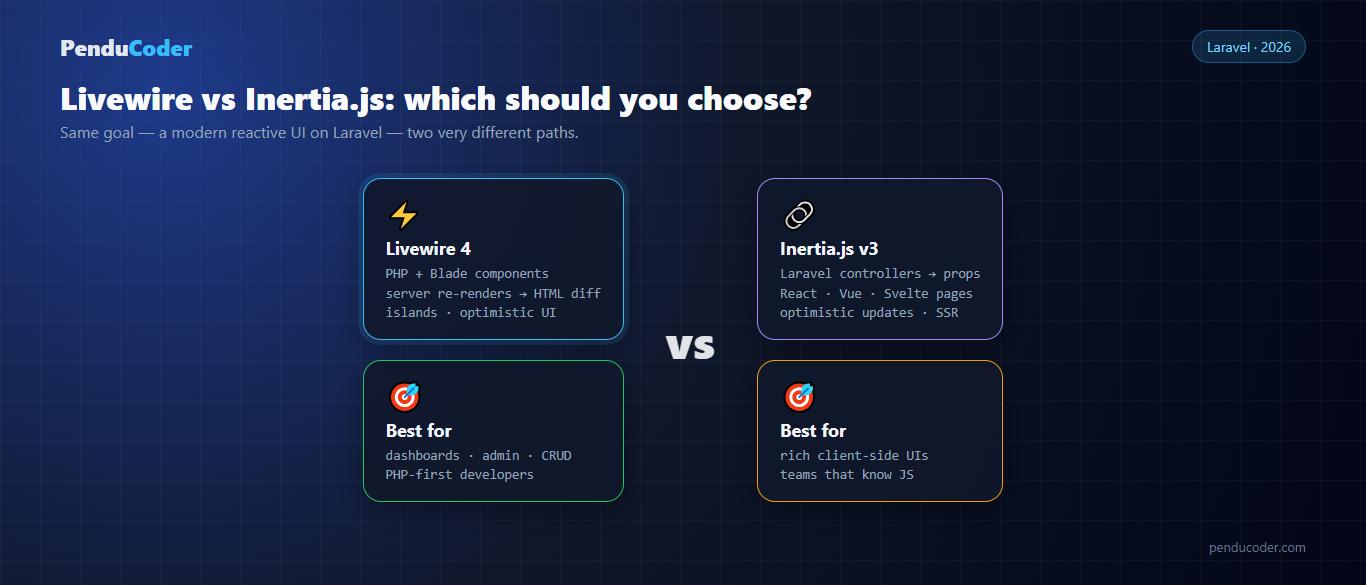
If you build with Laravel, sooner or later you hit the same question: Livewire vs Inertia — which one should power your frontend? Both let you build modern, reactive apps without writing a separate API, and Laravel's official starter kits support both. But they take opposite paths to get there. This guide compares Livewire 4 and Inertia.js v3 as they stand in 2026, with real code, so you can pick the right one for your next project.
The 30-second answer
- Choose Livewire if you think in PHP, want to stay inside Blade, and are building dashboards, admin panels, SaaS back-offices, forms and CRUD-heavy apps.
- Choose Inertia if you (or your team) already know React, Vue or Svelte, need rich client-side interactions, or want to use the huge npm component ecosystem.
Neither one is "better". They solve the same problem — a modern UI on top of Laravel — with different trade-offs. The rest of this article shows you exactly what those trade-offs are.
How Livewire works
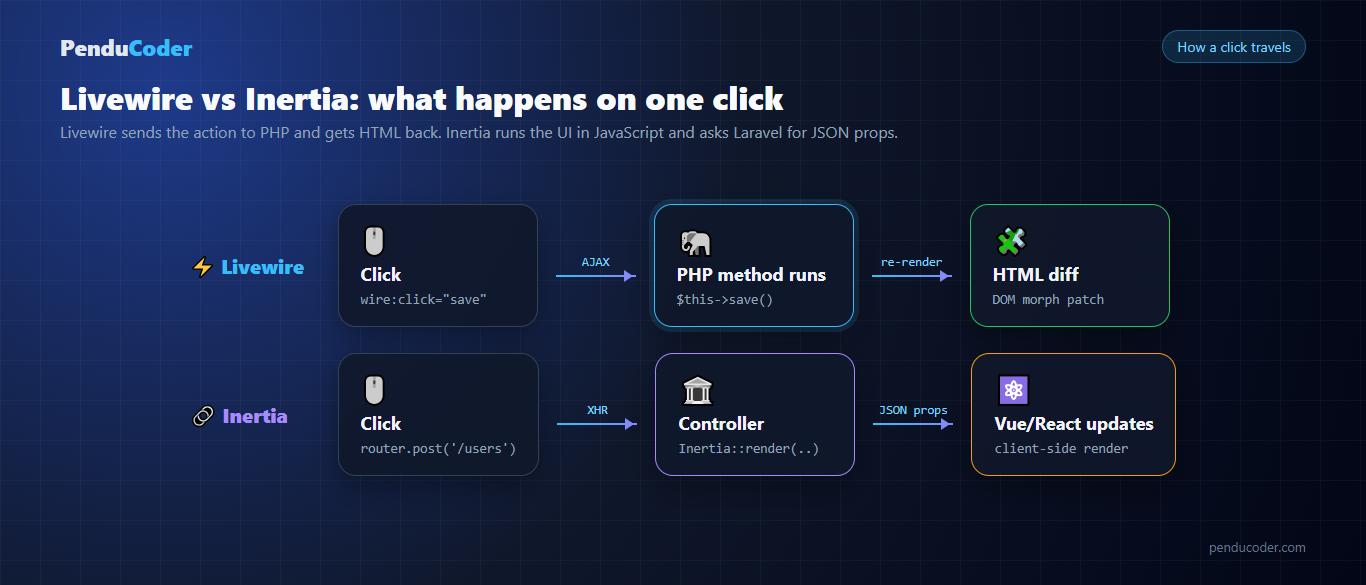
Livewire keeps your UI logic in PHP. A component is a PHP class plus a Blade view, and since Livewire 4 the default is a single-file component that keeps both in one file. When the user clicks or types, Livewire sends a small request to the server, runs your PHP method, re-renders the component and patches only the HTML that changed.
Here is a complete live user search in Livewire 4:
<?php

use App\Models\User;
use Livewire\Attributes\Computed;
use Livewire\Component;

new class extends Component {
    public string $search = '';

    #[Computed]
    public function users()
    {
        return User::where('name', 'like', "%{$this->search}%")
            ->limit(10)
            ->get();
    }
};
?>

<div>
    <input type="text" wire:model.live.debounce.300ms="search" placeholder="Search users...">

    <ul>
        @foreach ($this->users as $user)
            <li wire:key="{{ $user->id }}">{{ $user->name }}</li>
        @endforeach
    </ul>
</div>
No JavaScript, no API route, no JSON. Type in the box and the list updates. That is why PHP developers love Livewire: one language, one mental model.
Livewire 4 also added islands (re-render only one part of a big component), optimistic UI directives that update the screen before the server answers, built-in drag-and-drop sorting, scoped CSS and JavaScript, and wire:transition for animations. For small client-only things such as dropdowns and modals, Livewire pairs with Alpine.js, which ships with it.
How Inertia.js works
Inertia is the glue between Laravel and a JavaScript framework. Your Laravel controllers stay exactly as they are — routing, validation, authentication and Eloquent all live on the server — but instead of returning a Blade view, a controller returns an Inertia page with props. A React, Vue or Svelte component receives those props and renders the page in the browser. After the first load, clicking an Inertia link fetches only the new page's JSON props, so the app feels like a single-page app without you building or versioning a separate API.
The same user search with Inertia and Vue looks like this. First the controller:
use App\Models\User;
use Illuminate\Http\Request;
use Inertia\Inertia;

public function index(Request $request)
{
    return Inertia::render('Users/Index', [
        'users' => User::query()
            ->when($request->search, fn ($q, $s) => $q->where('name', 'like', "%{$s}%"))
            ->limit(10)
            ->get(['id', 'name']),
        'filters' => $request->only('search'),
    ]);
}
Then the page component:
<script setup>
import { ref, watch } from 'vue'
import { router } from '@inertiajs/vue3'

const props = defineProps({ users: Array, filters: Object })
const search = ref(props.filters.search ?? '')

watch(search, (value) => {
  router.get('/users', { search: value }, { preserveState: true, replace: true })
})
</script>

<template>
  <input v-model="search" placeholder="Search users..." />
  <ul>
    <li v-for="user in users" :key="user.id">{{ user.name }}</li>
  </ul>
</template>
More files and two languages — but you get the full power of Vue (or React, or Svelte) in the browser. In a real app you would also debounce the search. Inertia v2 brought deferred props, prefetching, polling and infinite scroll, and Inertia v3 added optimistic updates, a useHttp hook for requests that are not page visits, and server-side rendering in Vite dev mode.
Livewire vs Inertia: side-by-side comparison
| Livewire 4 | Inertia.js v3 | |
|---|---|---|
| You write the UI in | PHP + Blade (plus a little Alpine.js) | React, Vue or Svelte (JavaScript/TypeScript) |
| Learning curve for Laravel devs | Low | Medium — you must learn a JS framework |
| Each interaction | Server round-trip (Alpine for instant UI) | Runs in the browser; server only on visits and submits |
| What travels over the network | Small HTML updates | JSON props, plus a larger JS bundle on first load |
| Ecosystem | Filament, Flux UI, Blade components | The whole npm world (shadcn/ui, charts, editors) |
| SEO out of the box | Server-rendered HTML by default | Needs SSR enabled for public pages |
| Best for | Admin panels, dashboards, CRUD, internal tools, solo PHP devs | Interaction-heavy product UIs, teams with frontend developers |
Performance: what actually matters
With Livewire, every server action is a network request, so latency is the thing to watch. If your users are in Pakistan or India and your server is in the US, each click adds a noticeable delay. Keep it fast by using wire:model.blur or .debounce instead of updating on every keystroke, handling pure UI toggles with Alpine.js, lazy-loading heavy components, and using islands and optimistic UI for the parts users touch most. Hosting close to your audience helps too — our Laravel VPS deployment guide covers the server side.
With Inertia, the cost is paid up front: the browser downloads your JavaScript bundle before the first render. After that, most interactions are instant because they never leave the browser. Keep it fast with code-splitting per page, prefetching links the user is likely to click, and deferred props for slow data.
SEO: Livewire vs Inertia for public pages
Livewire renders full HTML on the server, so Google sees your content immediately — no extra setup. An Inertia page without server-side rendering sends a mostly empty page that JavaScript fills in. Google can render JavaScript, but it is slower and less predictable, so for blogs, landing pages and product pages you should turn on Inertia SSR. A common pattern on both stacks is to keep marketing pages in plain Blade and use Livewire or Inertia for the logged-in app area.
Which should a beginner learn first?
If you are new to Laravel, start with Livewire. You learn one language, fewer files and fewer build steps, and you can ship a real CRUD app in a weekend. Our beginner guide What Is Laravel Livewire? walks through it with examples. If you already know Vue or React — or you want a frontend job later — Inertia lets you reuse that skill while keeping Laravel's backend. Still choosing your backend? Read Laravel vs Node.js first.
Can you use Livewire and Inertia together?
Technically yes, on different routes of one app, but it is rarely worth it: two mental models, two component systems and two sets of tests. Pick one per project. If one part of your app needs a separate mobile client, add a proper API alongside it — see how to build a REST API in Laravel 12 with Sanctum.
Our verdict for 2026
For most Laravel developers building business apps — dashboards, ERPs, admin panels, SaaS back-offices — Livewire is the faster way to ship, and Livewire 4 closed many of the gaps that used to push people toward a JavaScript framework. Choose Inertia when the product lives or dies by rich client-side interaction, or when your team already speaks React or Vue. Both are first-class citizens in the Laravel ecosystem, so whichever you choose, you are not betting on a dead end.
FAQ
Is Livewire faster than Inertia?
It depends on the interaction. Livewire's first load is lighter because there is no large JavaScript bundle, but every action waits for the server. Inertia's first load is heavier, then most interactions run instantly in the browser.
Do I need an API with Inertia?
No. Inertia uses your normal Laravel routes and controllers and passes data as props. You only need a separate API if other clients, such as a mobile app, must talk to your backend.
Is Livewire good for SEO?
Yes. Livewire components render HTML on the server, so search engines see the full content on the first request. With Inertia, enable server-side rendering for any page you want to rank.
Does Filament use Livewire or Inertia?
Filament is built on Livewire, which is one reason Livewire is so popular for admin panels.