Python Python Free

Python: Read a CSV, Clean It with Pandas, and Email the Summary Report

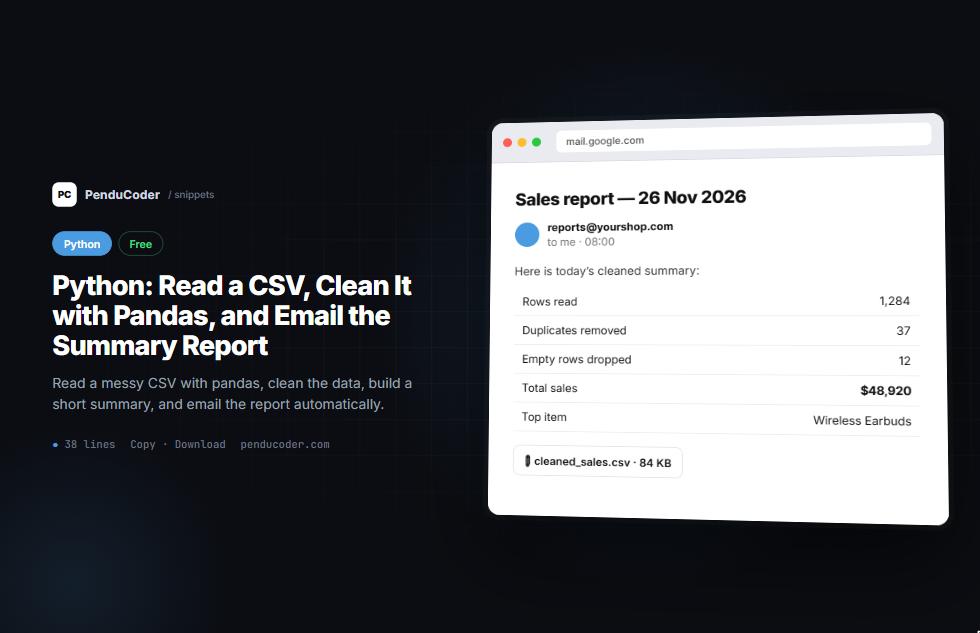
Read a messy CSV with pandas, clean the data, build a short summary, and email the report automatically.

38 lines · Updated Nov 26, 2026

Preview of Python: Read a CSV, Clean It with Pandas, and Email the Summary Report
python-pandas-csv-clean-email-report.py
import pandas as pd
import smtplib
from email.message import EmailMessage


def build_report(csv_path):
    df = pd.read_csv(csv_path)
    df = df.dropna(how="all")
    df["amount"] = pd.to_numeric(df["amount"], errors="coerce")
    df = df.dropna(subset=["amount"])

    total = df["amount"].sum()
    count = len(df)
    average = df["amount"].mean()

    return (
        f"Weekly report\n"
        f"Rows: {count}\n"
        f"Total: {total:,.2f}\n"
        f"Average: {average:,.2f}\n"
        f"Top item: {df.loc[df['amount'].idxmax(), 'item']}"
    )


def send_report(report, to_address):
    msg = EmailMessage()
    msg["Subject"] = "Weekly CSV report"
    msg["From"] = "reports@example.com"
    msg["To"] = to_address
    msg.set_content(report)
    with smtplib.SMTP("localhost") as server:
        server.send_message(msg)


if __name__ == "__main__":
    report = build_report("sales.csv")
    print(report)
    send_report(report, "you@example.com")

About this snippet

Raw CSV exports from shops, CRMs and accounting tools are messy: empty rows, duplicate orders, inconsistent dates and numbers stored as text. This snippet uses pandas to load a CSV, clean it, calculate a short summary and email the result — turning a 20-minute weekly chore into a script you can schedule.

How it works

  1. Load: pandas reads the CSV into a DataFrame and parses date columns.
  2. Clean: it removes empty and duplicate rows, trims whitespace and converts amount columns to numbers.
  3. Summarise: it calculates totals and counts — for example revenue and orders by day or category.
  4. Send: it builds an email with the summary (and optionally the cleaned file attached) and sends it over SMTP.

How to use it

  1. Install the libraries: pip install pandas (add openpyxl for Excel output).
  2. Store SMTP credentials in environment variables — never in the script. For Gmail, use an app password.
  3. Change the column names to match your CSV, run it once manually, then schedule it.

Ideas to extend it

  • Attach an Excel file with a "Summary" sheet and a "Raw data" sheet.
  • Compare this week with last week and highlight changes.
  • Send the summary to Telegram instead of email.

Common problems

  • UnicodeDecodeError: the file is not UTF-8. Try encoding="latin-1" or "utf-8-sig".
  • SMTPAuthenticationError: wrong credentials or a normal password used where an app password is required.

FAQ

Can pandas handle large files? Hundreds of thousands of rows are fine on a normal laptop. For larger files, read in chunks.

Related: 10 Python automation projects · Retry with exponential backoff

How to install

Install pandas with pip install pandas. Change the column names (amount, item) to match your CSV, and set the SMTP host and addresses for your mail setup.

Share this snippet

See all
Chat with us