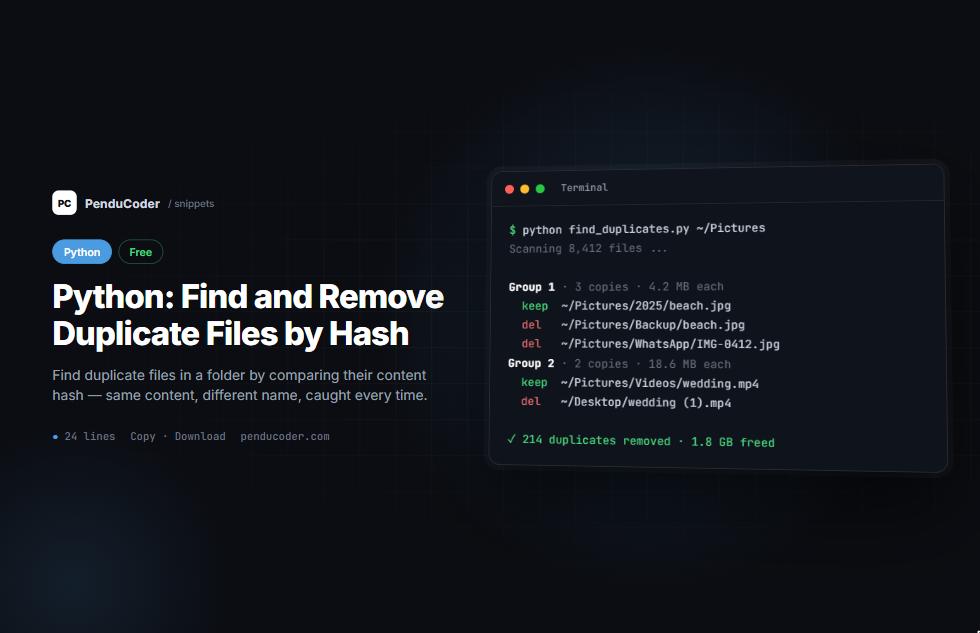
Duplicate files waste gigabytes: the same photo downloaded twice, backups copied into backups, "final (2).pdf". Comparing file names does not work, because duplicates often have different names. This snippet finds true duplicates by comparing a hash of each file's contents, then lets you review or remove the extra copies.
How it works
- It walks through a folder and its sub-folders.
- To be fast, it first groups files by size — files with different sizes cannot be identical.
- For files with the same size, it computes a SHA-256 hash, reading the file in chunks so even large videos do not fill your memory.
- Files with the same hash are identical. The script keeps one and reports or removes the rest.
How to use it safely
- Run in report-only (dry-run) mode first and read the list.
- Back up important folders before deleting anything.
- Prefer moving duplicates into a "duplicates" folder rather than deleting them, then empty it once you are sure.
Customize it
- Decide which copy to keep — the oldest, the newest or the one in a preferred folder.
- Skip system folders and file types you never want to touch.
- Export the results to CSV for review in Excel.
Common problems
- Similar photos not detected: hashing finds identical files only. Resized or edited images need perceptual hashing (for example the
imagehash package). - PermissionError: skip files you cannot read instead of stopping the whole run.
FAQ
Is MD5 good enough? For finding accidental duplicates it works, but SHA-256 is the safer default and is still fast.
Related: Organize Downloads by file type · 10 Python automation projects